Form 16 is a document most salaried employees glance at, note the total tax deducted, and hand to their CA. If you have RSUs, that approach can lead to a filing that's technically incomplete — or one that confuses everyone involved.
RSU perquisites show up in Form 16 in a specific way, and if you don't know what you're looking at, you might miss what's there.
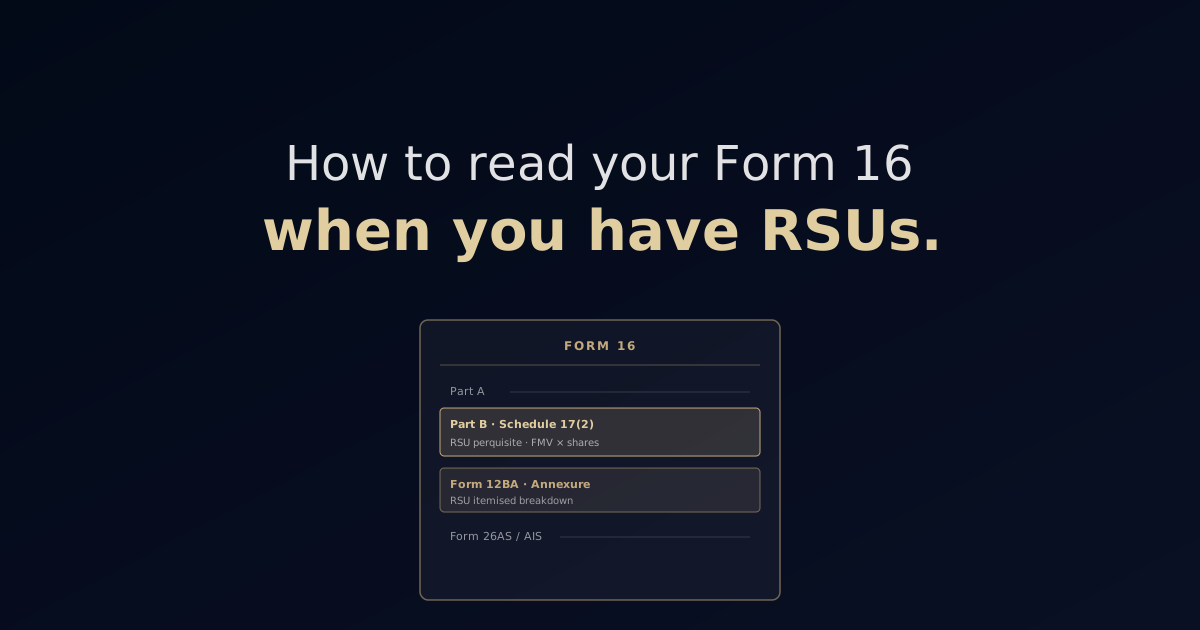
Form 16 Has Two Parts
Part A: A summary of the TDS deducted and deposited to the government by your employer. Generated directly from TDS returns filed by the employer. You can cross-check this with your Form 26AS.
Part B: The detailed computation of your taxable salary. This is where the RSU perquisite shows up, and this is the part you need to read carefully.
Where to Find the Rsu Perquisite in Part B
In Form 16 Part B, look for a section labelled something like:
"Value of perquisites under section 17(2)" or "Perquisites as per Schedule III of the Form — Employee stock option/RSU"
The number here represents the full Fair Market Value of all shares that vested during the financial year — not the shares you received after sell-to-cover, but all shares including those sold for TDS.
This is one of the most confusing moments: your Form 16 might show ₹28 lakh in perquisite income from RSUs, but you only received shares worth ₹20 lakh in your account (because ~30% was sold for TDS). The Form 16 is correct. It's showing your full compensation, not just the shares you kept.
Also, cross-check this against Form 12BA, which your employer should provide alongside Form 16. Form 12BA lists the details of perquisites provided during the year — it's a more granular breakdown of what's in Part B.
📊 TABLE: "Where RSU Information Appears in Form 16" [Insert here: 2-column table] Document | Where RSU information appears | What it shows Form 16, Part A | TDS summary | Total TDS deducted including on RSU perquisite Form 16, Part B | Schedule 17(2) / Perquisites section | Full perquisite value (FMV × all vested shares) Form 12BA | Annexure to Form 16 | Itemised perquisite breakdown, including RSU details Form 26AS / AIS | Income Tax portal | Employer-reported perquisite income, TDS deposited
Why Your Total Salary Looks Higher Than Expected
If you earn ₹50 lakh in salary and ₹28 lakh in RSU perquisites vest during the year, your Form 16 will show ₹78 lakh in total income. If you were expecting ₹50 lakh, this is confusing.
It's correct. The RSU perquisite is legally salary — it's compensation you received in the form of stock. It's taxed at the same rates as cash salary. Your total taxable income is the sum of both.
Reconciling Form 16 With Your Brokerage Statement
This is where most discrepancies show up, and where your CA needs careful attention.
Form 16 shows the perquisite value: say ₹28 lakh (from 200 shares × $168 × TTBR). Your brokerage statement shows 146 shares delivered to your account (200 minus 54 sold for TDS). The sell-to-cover transaction (54 shares sold) shows up in your brokerage transaction history as a small sale — with a minor capital gain or loss.
Your CA needs: - The Form 16 perquisite figure (confirmed with Form 12BA) - The brokerage transaction history (to capture the sell-to-cover capital gain/loss) - The brokerage gain/loss report (for any additional shares you sold yourself)
If any of these are missing, the ITR will be incomplete.
Common Mismatches and How to Resolve Them
Mismatch 1: Form 16 perquisite value vs brokerage FMV Cause: Your employer may use a slightly different FMV (e.g., average of high and low for the day, rather than closing price) or a different TTBR rate than you calculated. Resolution: Ask your employer's payroll team for the FMV and exchange rate they used. Use their figures for consistency — the employer's calculation is what's been reported to the Income Tax Department.
Mismatch 2: Vest dates on Form 16 vs brokerage Cause: Settlement lag (T+2). A vest on March 31 might show as a credit on April 2 in your brokerage. Resolution: Use vest dates (from brokerage's "Award" section) rather than settlement dates for tax calculation.
Mismatch 3: AIS shows different perquisite income from Form 16 Cause: Employer reported data hasn't fully synced to AIS, or there's a genuine discrepancy. Resolution: Raise with your employer's payroll team. The AIS should match Form 16. If there's a difference, flag it before filing.
How Rovia Can Help
Form 16 reconciliation with brokerage data is one of the most common things that goes wrong in RSU tax filings. Rovia will go through your Form 16, your brokerage statements, and your Form 26AS together — making sure the filing accurately reflects what you earned and what you've already paid.
Source: Form 16 structure and Part B schedule — Income Tax Rules, Rule 31: https://incometaxindia.gov.in/rules